MCP DateDecoder

Your AI agent needs real dates,
not guesses.

DateDecoder converts fuzzy language like “next Friday” or “tomorrow” into precise ISO timestamps.
One MCP call — confidence score included.

You created your first AI agent to set appointments - great!
Caller says they want to meet "next Tuesday"... and your AI agent sets the wrong date?!?
AI agents are not good at date-math. Use an MCP and get the date correct EVERY time.


🧠 built for AI agents ⚡ voice · chat · scheduling optimized for ElevenLabs / VAPI
MCP ease-of-use
sub‑second latency
timezone‑aware

Simple, fair tiered pricing

Pick the tier that matches your agent’s monthly conversations.
No hidden overages. Prefer annual? Save ~17%.
Contact for Enterprise solutions > 50,000 accesses

Starter

$9 /month
or $89 /year

2,000 API accesses per month

  • checkTimezone + natural language
  • checkISO + natural format
  • checkEmail support
Most Popular

Pro

$36 /month
or $359 /year

10,000 API accesses per month

  • checkEverything in Starter
  • checkPriority email & chat
  • checkUsage analytics dashboard

Business

$145 /month
or $1,449 /year

50,000 API accesses per month

  • checkEverything in Pro
  • checkEarly access to new features
  • checkDedicated support staff

🛡️ Two safety nets — no nasty surprises

We notify you before you ever bump into a limit. No overage charges, ever.


80% email alert


When you reach 80% of your monthly API accesses, we send an email with:

  • Your current usage & projected limit date
  • One-click upgrade to the next tier
  • Note: your renewal date resets to today when you upgrade

For example: “You’ve used 1,600 of 2,000 calls — upgrade to Pro now”

Nightly predictive analytics


Our server analyzes your last 24h usage and calculates if you're on track to exceed your limit before month end.

If risk detected → we alert you immediately (not just at 80%), giving you days or weeks to adjust.

Your new higher limit starts the moment you upgrade

🚫 Never overage fees — you only pay for the tier you choose.
If you need more, simply move up.

Setup Instructions for ElevenLabs

Similar implementation for VAPI

In the System Prompt integrate this into your prompt.


  Today's date is {{system__time}}

  When the user mentions any day or date (e.g., "Friday", "tomorrow", "in 3 days"), use the MCP DateDecoder `determine_date_from_text`.

  # Tool usage rules:
  1. ALWAYS use the tool when you hear any date reference
  2. Pass the EXACT phrase the user said as the "date_request" parameter
  3. After receiving the result date, confirm with the user: "Just to confirm, that is [day_of_week], [month] [date]. Is that correct?"
  4. NEVER guess or calculate dates yourself

  ## Example:
  User: "Schedule for this Friday"
  You: [use determine_date_from_text tool with date_request="this Friday"]
  Tool returns:
    {
        "confidence": 0.9,
        "result": {
          "day_of_week": "Friday",
          "formatted_date": "Friday, April 10, 2026",
          "iso_date": "2026-04-10",
          "timestamp": 1775779200
        }
    }

  You: "Just to confirm, that is Friday, April 10th. Is that correct?"

  ## Important:
  - Use the `result.formatted_date` response from the tool for confirmation
  - Keep responses natural and conversational
  - If the tool returns an error, apologize and ask the user to rephrase


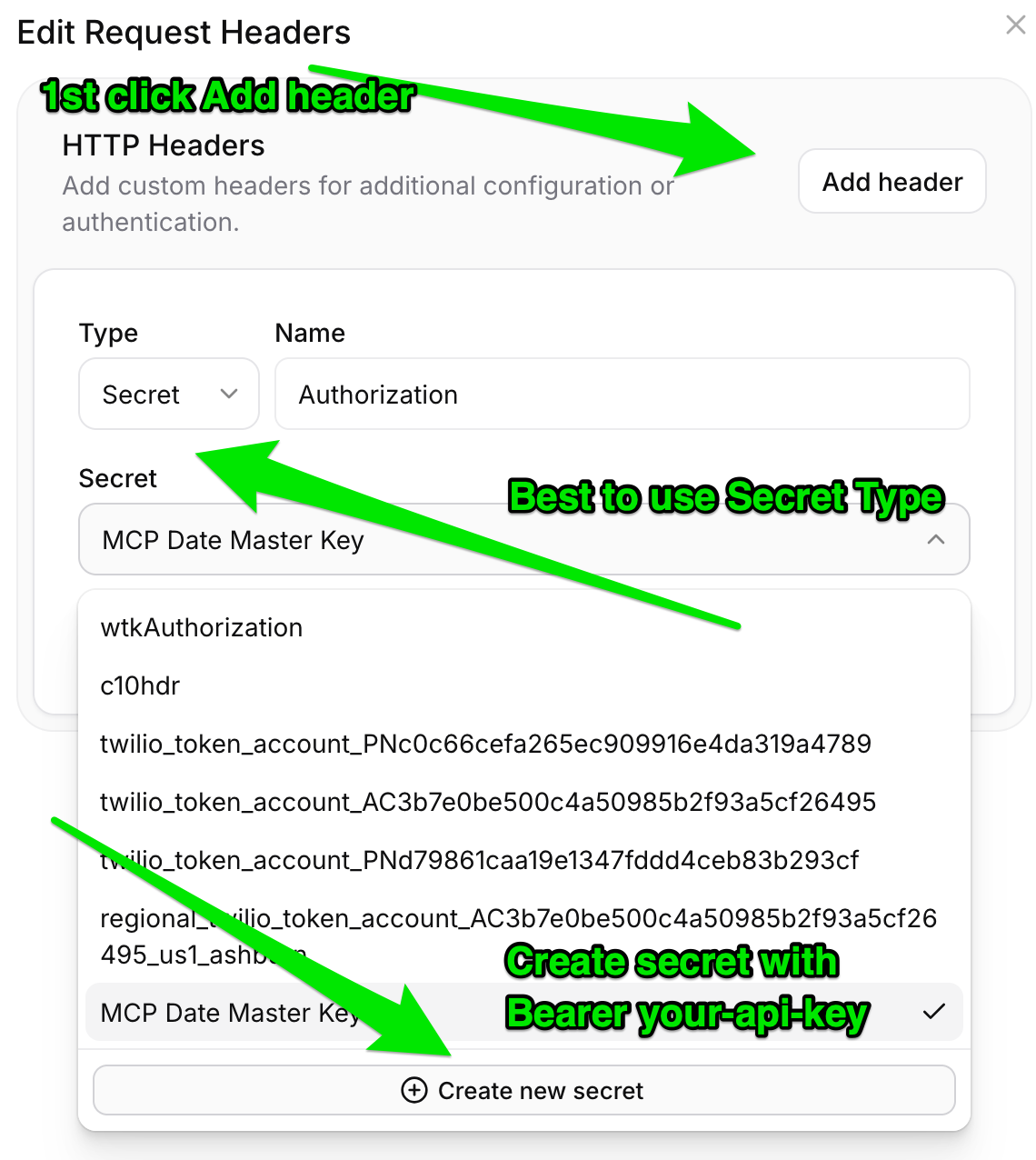
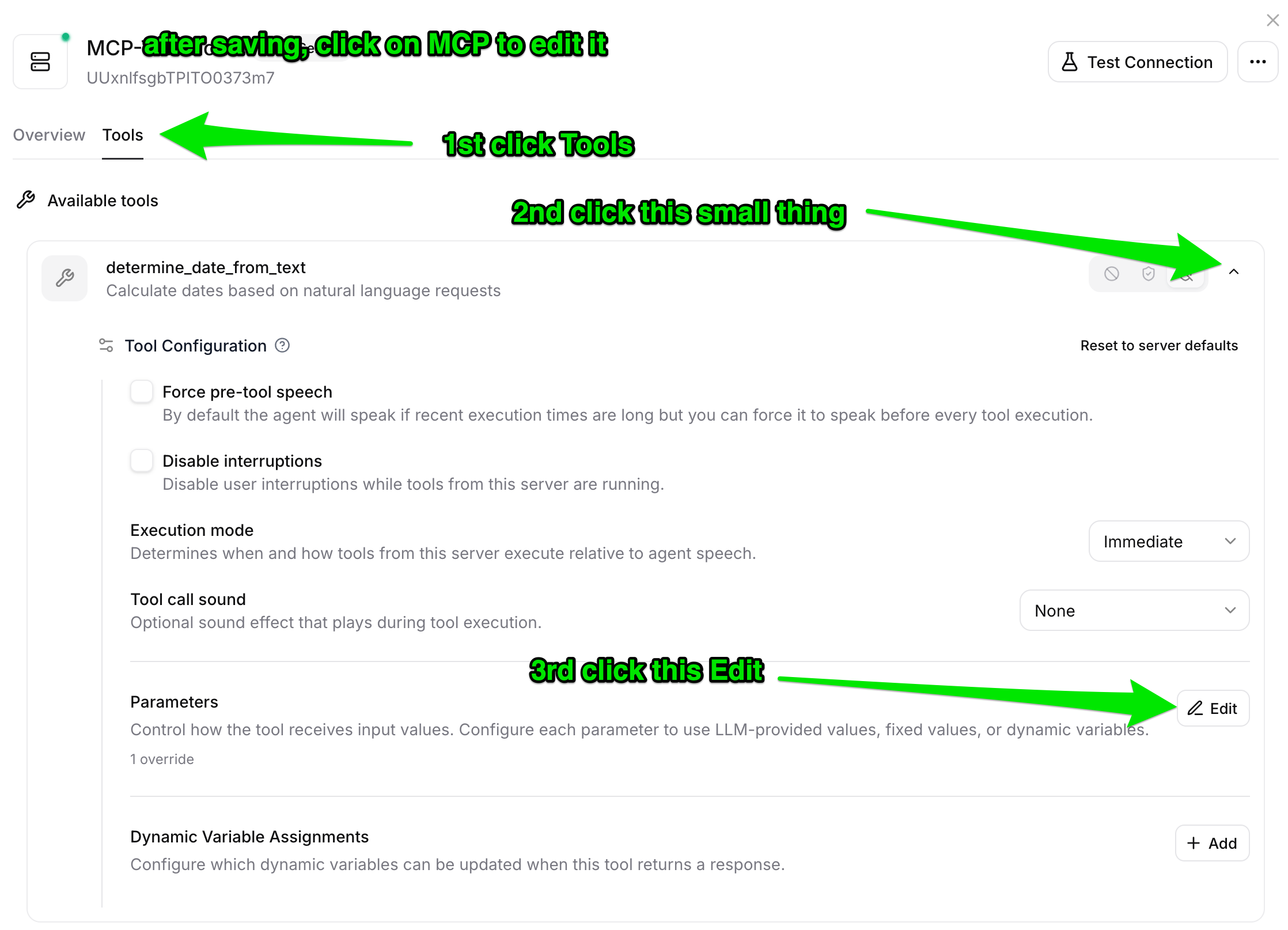
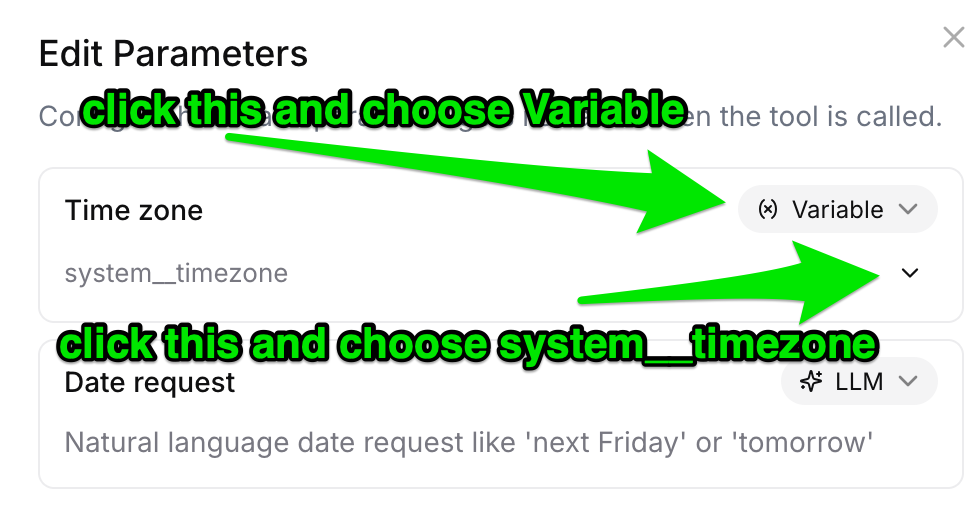
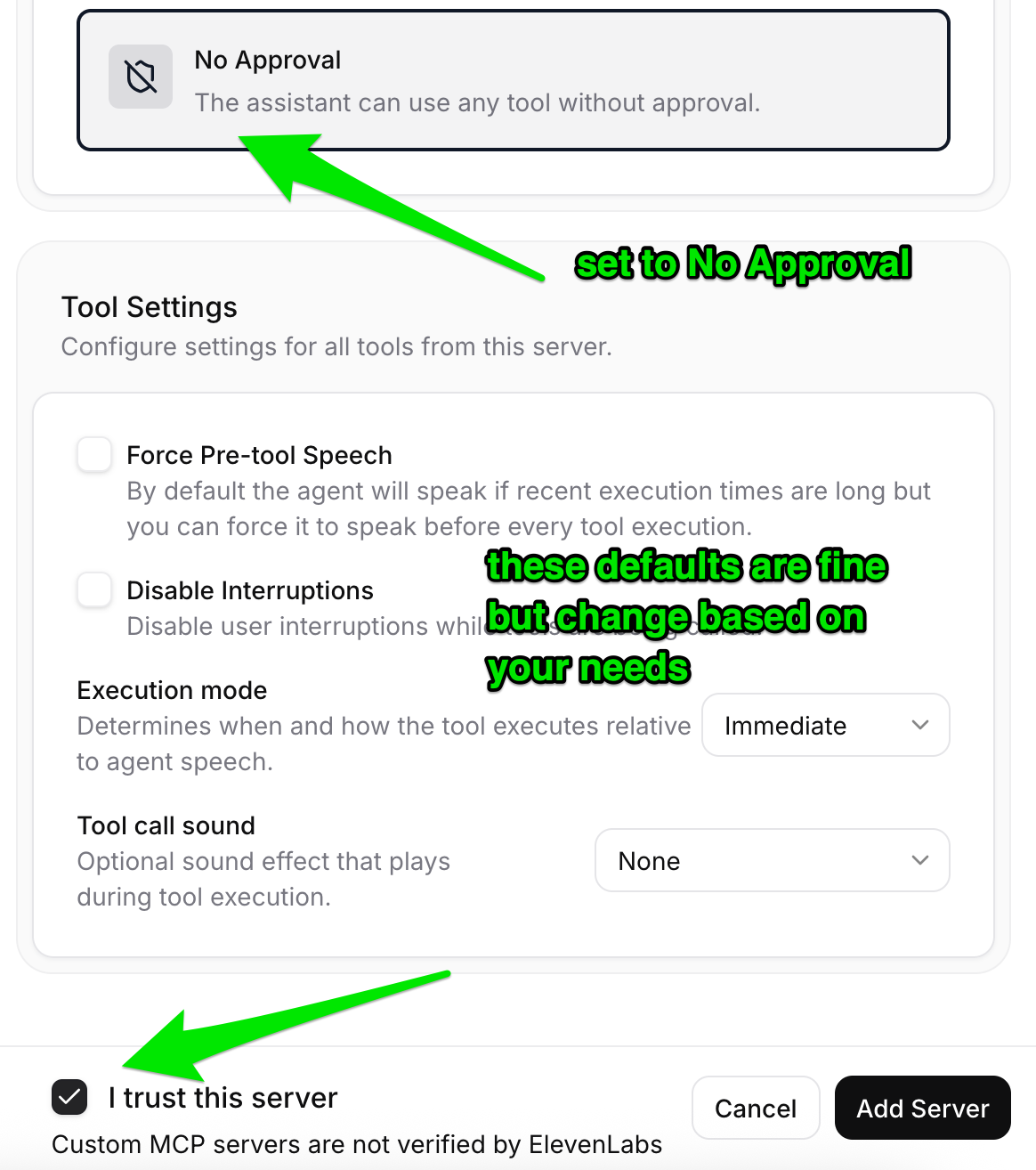
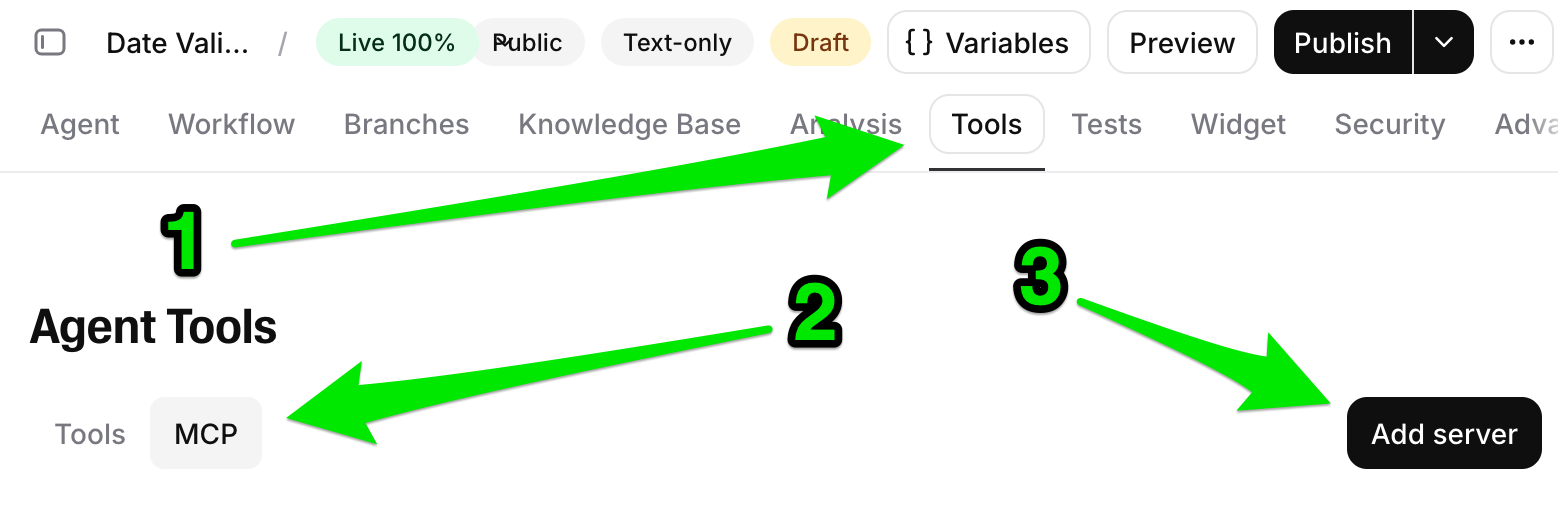
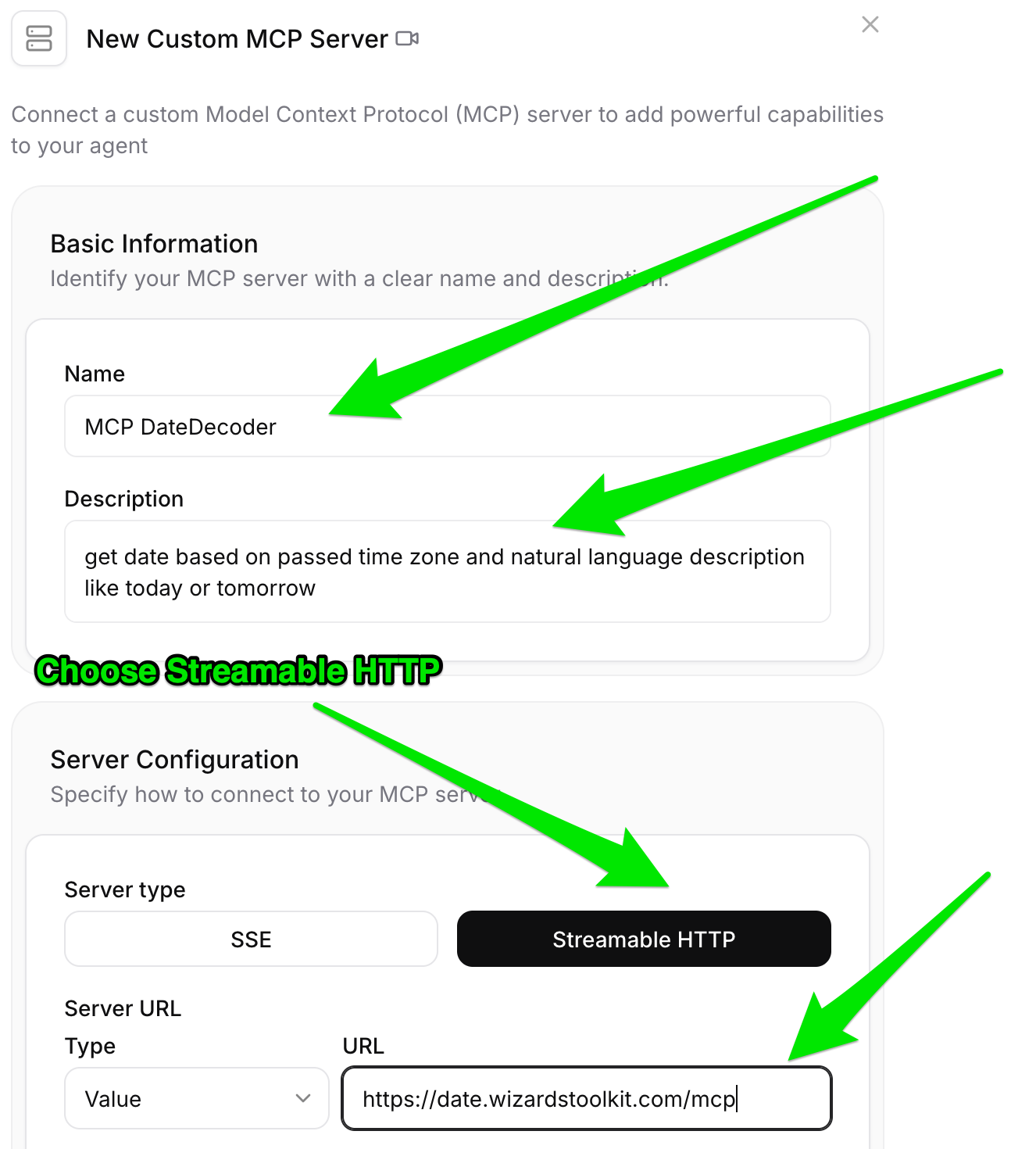
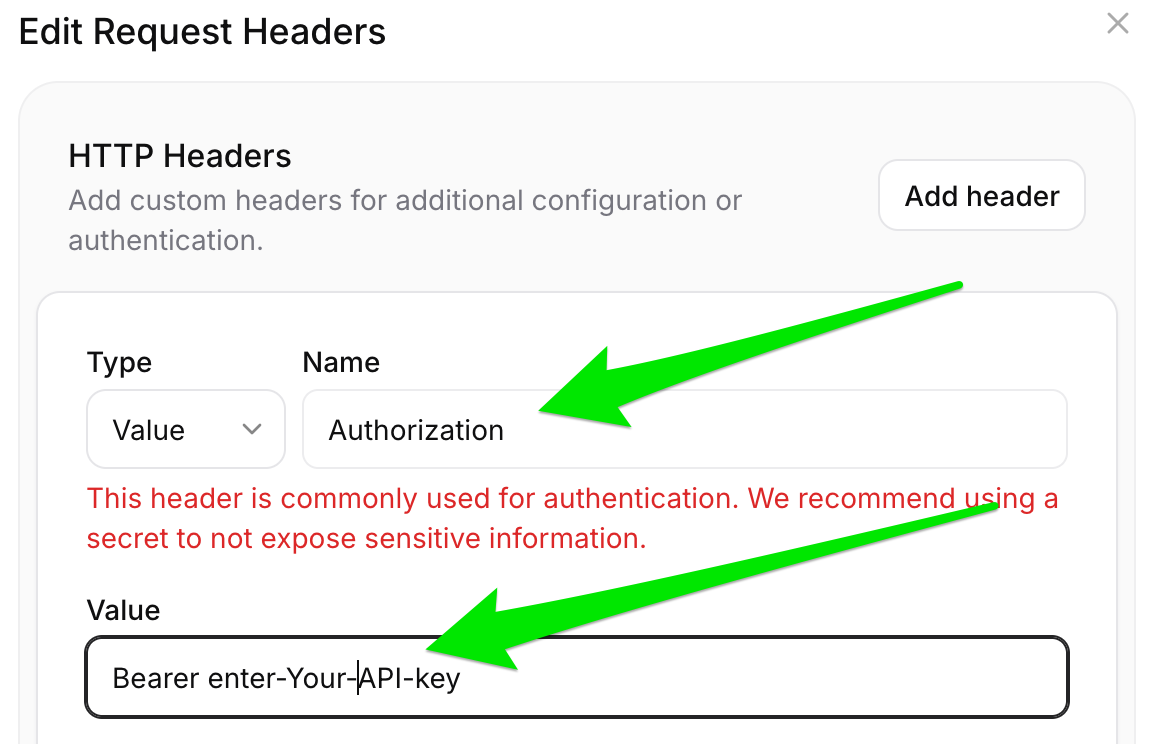
Next add the MCP to your agent. Once you have done that for one AI Agent, you can easily use the same MCP connection for all your AI agents. Click image to see full details.
Build agents that understand time

From "this Friday" to 2026-04-10 in < 50ms.

DateDecoder — date resolution for AI, done right.